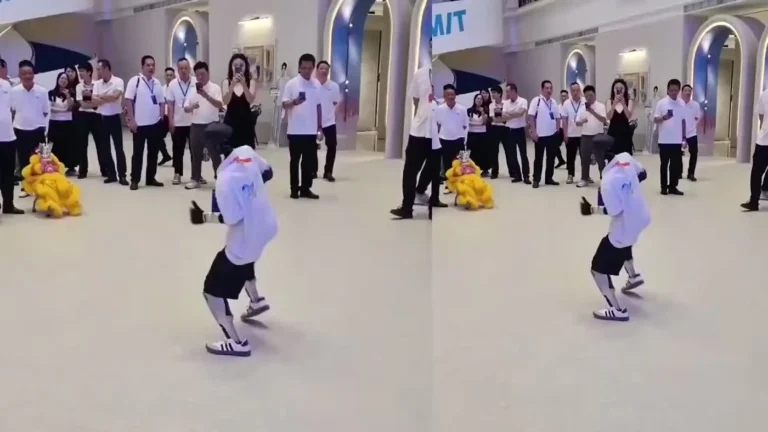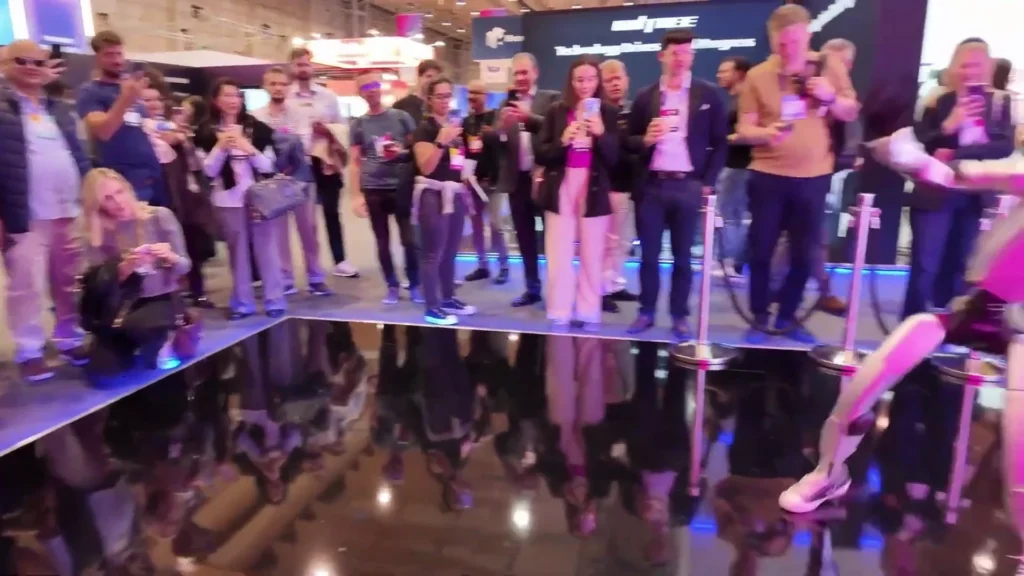
In 2026, we get more requests for a unitree g1 university demonstration than for any other single event format. Our pipeline runs from open days at Russell Group institutions through to department-level research events, and the format is almost identical each time: a walk-and-talk where the G1 moves through a scripted sequence while a presenter explains what the robot is doing and why it matters. What changes between venues is
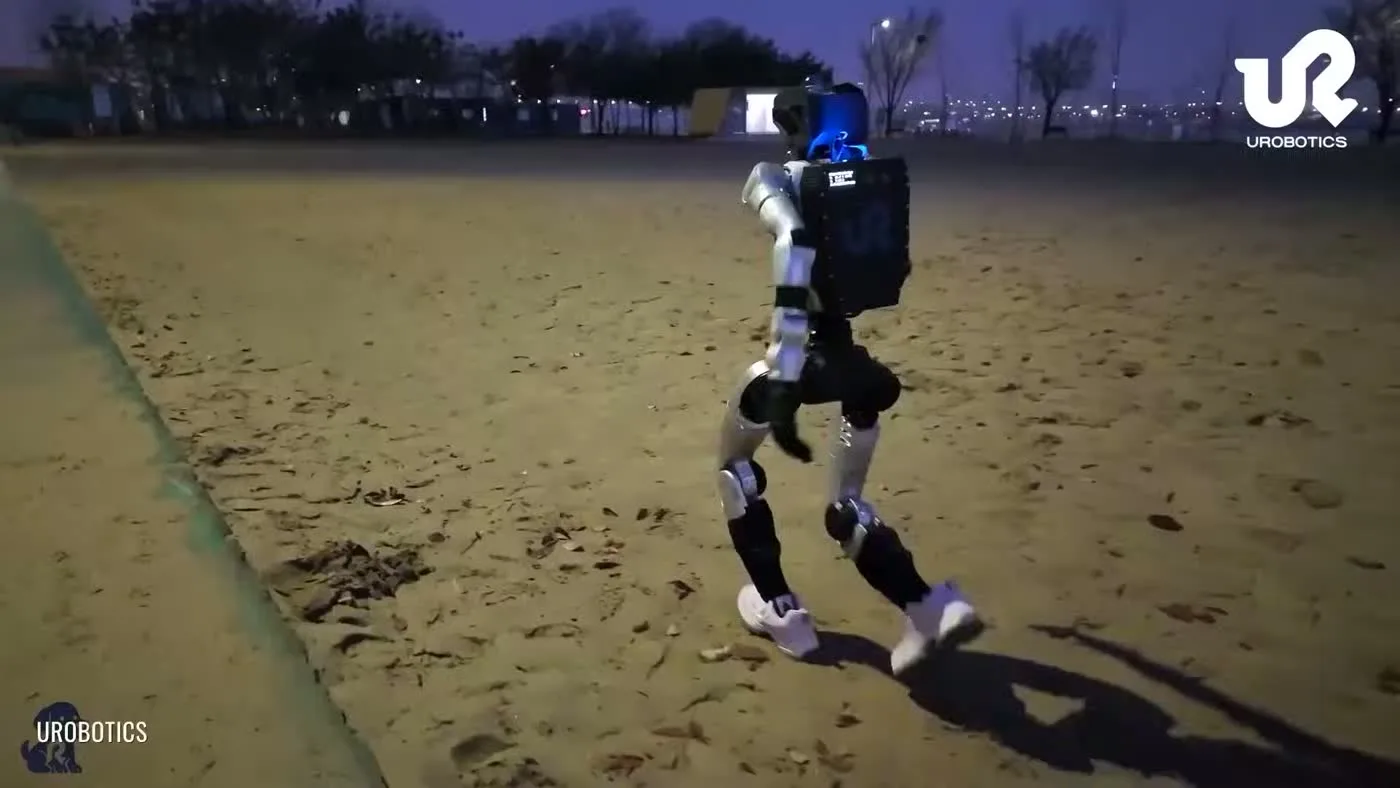
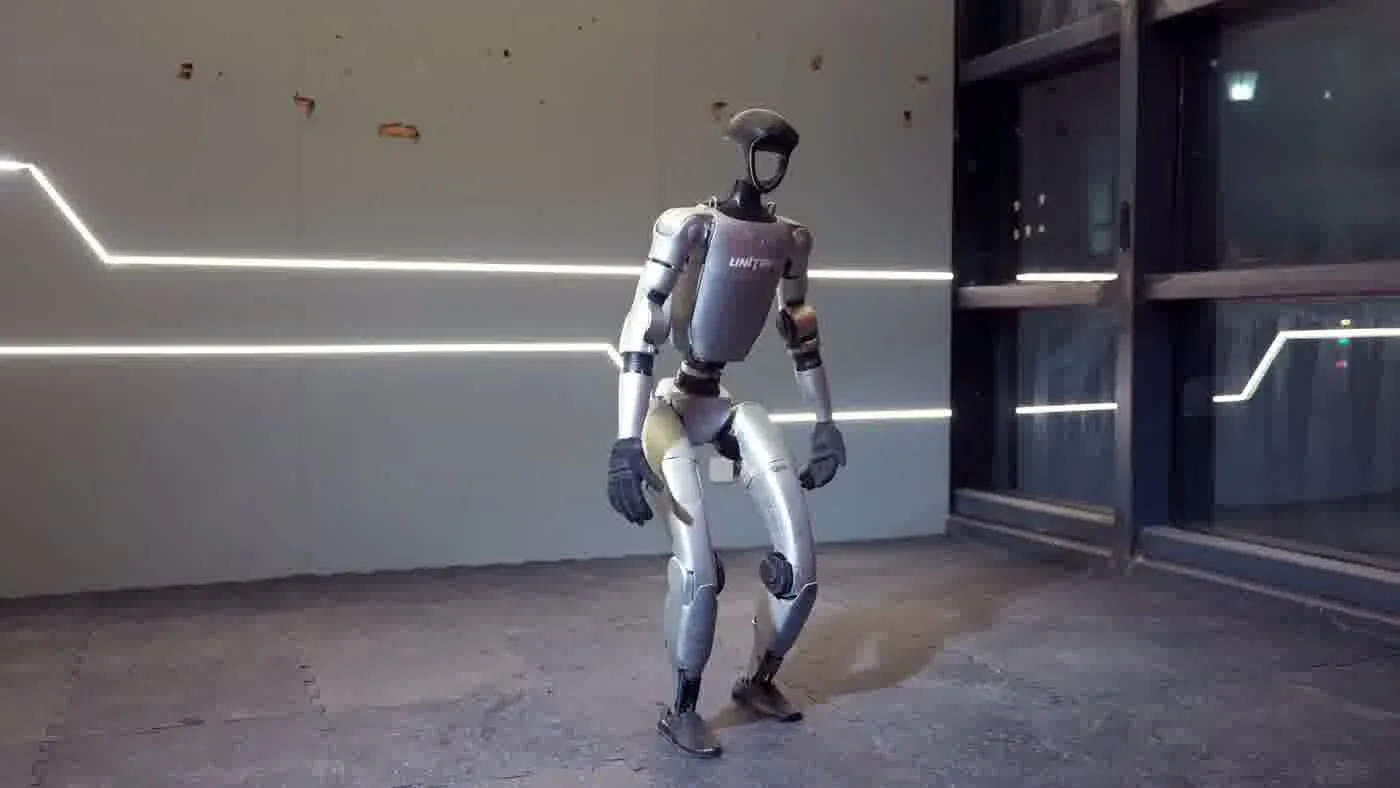
Helmet Closeup Sidewalk Walk
Unitree G1 — At a Glance
- 127 cm tall | 35 kg
- 41 degrees of freedom
- Five-finger dexterous hands
- 2-hour operational battery
- Onboard NVIDIA Jetson Orin
- Available to rent from $299/day
What You Should Know
- University demonstrations use the G1 in lecture halls, labs, and open day events
- Setup takes 30-45 minutes minimum — allow a full hour before the demonstration
- A 15A power circuit is needed for charging between demonstration sessions
- Full-Service Event is typical for formal lectures; Self-Service works for lab settings with trained staff
- Universities also buy the G1 for ongoing research — rental first is recommended before committing to purchase
These five points define the shape of every university booking we handle. The most common mistake is treating the demonstration as a plug-and-play affair. The G1 is a 35kg, 127cm robot with 41 degrees of freedom — it is not wheeled in and switched on two minutes before the lecture. The setup window is non-negotiable, and the power requirement is real. If the venue cannot provide a 15A circuit near the demonstration area, charging between sessions is not possible, which limits how long the event can run on a single battery cycle.
For a detailed look at the G1 hardware specifications underpinning these requirements, the Unitree G1 specs 2026 post covers the full platform profile including battery, dimensions, and joint count. The Unitree G1 complete guide 2026 puts those specs in the context of real-world deployment.
What University Demonstrations Actually Look Like
The walk-and-talk is the standard format. The G1 moves through a pre-programmed sequence — standing, stepping forward, turning, raising its arms — while the presenter narrates what each movement represents at the hardware level. Audiences in academic settings tend to ask more technical questions than corporate event crowds, so the presenter needs to be comfortable fielding queries about the joint architecture, the sensor suite, and what the G1 can and cannot do autonomously. The robot does not respond to questions in real time — it follows scripted sequences managed by the operator — but the format still produces a genuinely engaging audience experience because the physical presence of a 127cm bipedal robot in a lecture hall is inherently attention-holding.
Lecture Hall Format
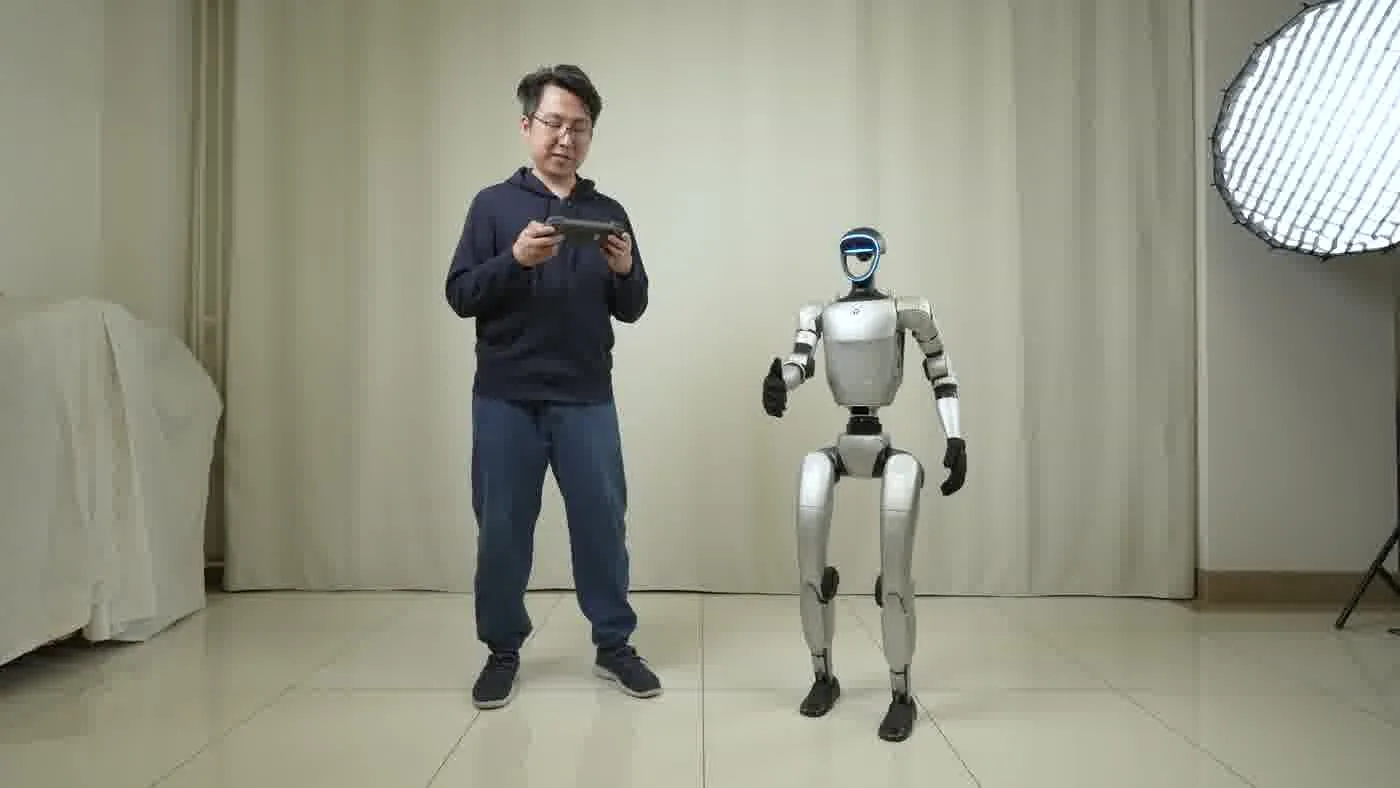
In a tiered lecture hall, the G1 typically operates at the front of the room at floor level. The presenter stands to one side with a remote or tablet, and the operator manages the robot’s movement sequences from a position where they have clear line-of-sight to the robot and to the audience perimeter. The sequence runs for 10-15 minutes, followed by a Q&A where the robot remains stationary or performs specific movements on request. Lighting conditions in lecture halls vary significantly — the G1’s onboard sensors are not affected by standard room lighting, but any live video feed from the robot’s cameras needs to account for the projection environment if you are displaying footage on the lecture hall screen.
Lab Demonstration Format
Lab settings are different in one important way: the audience is smaller, the questions are more detailed, and physical proximity to the robot is often requested. Researchers want to see the G1’s hands and wrist joints up close. The Unitree G1 hands capabilities post covers what the dexterous hand assembly can do, which is a common focus of lab-based demonstrations. In a lab setting, Self-Service Rental with a department-trained operator is a realistic option — the smaller, more controlled environment reduces the risk profile compared to a public-facing open day.
Open Day Activation
Open day demonstrations sit between the lecture and lab formats. The audience is larger and less technically specialized, the environment is often less controlled (corridors, atriums, outdoor-to-indoor transitions), and the demonstration needs to work for visitors who have never seen a humanoid robot before. The G1’s physical presence does most of the work — the scripted sequence is less important than ensuring the robot is visible, the operator has enough space to manage safely, and the audience interaction area is clearly marked. For open days, Full-Service Event is strongly recommended because the operator also manages crowd positioning, which is not a trivial task when 200 prospective students are trying to take photos at the same time.
The audience interaction format follows the same structure across all three venue types: the scripted sequence runs first, then the operator fields specific movement requests, then the presenter takes questions. Live demo requests — ‘can it walk over there?’ or ‘can it wave?’ — are handled by the operator in real time within the pre-programmed movement library. The G1 does not improvise, but the movement library is broad enough that most audience requests can be accommodated within it.
Academic coverage of humanoid robotics has intensified since 2024. IEEE Spectrum publishes detailed technical coverage of bipedal robot developments, including Unitree platform updates, which gives university audiences a reference point for the broader context of what they are seeing demonstrated.
Setup Requirements at University Venues
Setup requirements are where university demonstrations most often run into problems. The issues are almost always the same three: insufficient floor space, no accessible power circuit, or a doorway that the G1 cannot pass through. All three are avoidable if you do the venue check before the booking date.
Space Requirements
The G1 needs a flat, level surface for the demonstration area. The robot’s shoulder width is 45cm, which means it can pass through any doorway wider than 80cm — most standard interior doors qualify, but some older university buildings have narrower doorways in faculty areas or storage corridors. If the demonstration area is not accessible via an 80cm+ doorway, the G1 cannot reach it. Check this before the day.
The demonstration area itself needs a minimum clear floor space of approximately 3m × 3m for the scripted movement sequence. This is not a hard mechanical limit — the G1 can physically operate in a tighter space — but the safety perimeter for an audience-facing demonstration requires clearance between the robot’s movement path and the nearest audience member. In a tiered lecture hall this is handled naturally by the room geometry. In a lab or open day atrium, the operator needs to establish the perimeter before the demonstration begins.
Power Requirements
The G1 runs on a 2-hour battery cycle with a 45-minute charge time. If you are running multiple demonstration sessions in a day — a common format for open days — the charging window between sessions needs to be built into the schedule. Charging requires a 15A power circuit accessible within cable reach of the designated charging area. A standard 13A UK socket is not sufficient for peak charging current. If the venue does not have a 15A circuit accessible near the demonstration area, the event needs to be designed around a single battery cycle with no inter-session top-up.
For a detailed breakdown of what the G1’s battery cycle looks like in practice, the Unitree G1 battery life post covers runtime, charge time, and how to plan session schedules around the battery constraint.
AV Integration
Some university demonstrations include a live camera feed from the G1’s onboard sensors displayed on the lecture hall screen. This requires a connection between the robot’s output interface and the venue AV system — typically via HDMI from a laptop running the G1’s visualization software. This is an optional addition to the demonstration format, not a default. If you want it, discuss it with the operator during pre-event planning so the AV setup is included in the 30-45 minute setup window rather than added as an afterthought.
Audience Distance Protocol
The standard audience distance protocol for a G1 demonstration is a 1.5m minimum clearance around the robot’s movement path. This is not a regulatory requirement — it is an operational standard that keeps the demonstration running safely without stopping to manage crowd encroachment. In a lecture hall, the fixed seating handles this automatically. In an open day or lab setting, the operator uses floor markers or a rope perimeter to establish the zone before the demonstration begins. If your venue has a public events team, brief them on this requirement before the day — they usually have the equipment and the experience to manage it.
The broader context for event safety with robotic systems is covered in MIT Technology Review’s reporting on public-facing robotics deployments, which includes useful framing on how institutions are adapting their safety protocols as humanoid robots move from controlled research environments into public-facing demonstrations.
Buying vs Renting for University Research
Universities are one of the buyer profiles where purchasing the G1 genuinely makes sense — not for event demonstrations, but for daily research use. A robotics department that deploys the G1 five days a week for PhD-level locomotion research is operating at a utilization level that the rental model was not designed for. At that frequency, ownership is the correct financial decision, and the G1’s open development platform — documented at Unitree’s official site — is specifically designed to support academic research use cases with accessible APIs and ROS2 compatibility.
When Renting Still Makes Sense for Universities
The distinction is between research use and event use. A department that wants a humanoid robot for its open day, its prospectus video, and its annual research event is running three events per year — not daily research deployment. Three events per year at $299/day via Self-Service Rental is a fraction of the purchase price, and the department does not carry the storage, maintenance, or operator training overhead between events. For event-driven use, rental remains the correct model regardless of how technically sophisticated the institution is.
The middle ground — departments that want to run occasional demonstrations while also doing intermittent research — is where the question becomes genuinely worth analyzing. The renting beats buying first time post covers why doing one or two rental events before a purchase decision is almost always the right sequence, even for technically capable buyers. The rental experience reveals the actual deployment requirements at your specific venues before you own a $70,000+ asset that has to live somewhere and be maintained by someone.
The Research Purchase Case
For departments that have secured research funding and need the G1 for longitudinal work — gait analysis, manipulation research, human-robot interaction studies — the purchase case is strong. Daily use compounds the value of ownership quickly, and the research timeline is typically long enough that the asset pays for itself within a grant cycle. The key question is not whether to buy, but whether the department has the technical infrastructure to support the robot: a qualified operator or researcher who can handle calibration and maintenance, appropriate storage, and a charging setup that meets the 15A requirement.
For departments that are not yet there, the recommended sequence is: book a Full-Service Event demonstration, see the G1 perform in your specific lecture hall or lab space, identify any venue constraints before they become post-purchase problems, and then make the purchase decision with real operational data rather than a specification sheet. The how to rent a humanoid robot post covers the booking process in detail.
Components You Need to Understand Before Buying
University buyers often focus on the G1’s external capabilities during a demonstration without fully understanding what is inside the platform. The inside a humanoid robot components post covers the internal architecture — joint actuators, sensor arrays, compute stack — in language that a technical audience can work with when evaluating whether the G1’s hardware design matches the research requirements. Understanding the components also informs the maintenance conversation: what needs periodic service, what can be handled in-lab, and what requires factory support.
People Also Ask
How long does a Unitree G1 university demonstration take to set up?
Setup takes 30-45 minutes under normal conditions. Allow a full hour before the demonstration if you are integrating AV, establishing an audience perimeter in an open space, or the venue has any access constraints. The 30-minute figure assumes a clear path from the loading point to the demonstration area, an accessible power circuit for the charging setup, and no AV integration. Add time for each of those elements. Running short on setup time is the most common source of avoidable problems in university demonstration bookings.
What floor space does a G1 university demonstration require?
The demonstration area needs a minimum of approximately 3m × 3m of clear, flat floor space for the scripted movement sequence plus the safety perimeter. The G1’s shoulder width is 45cm and it requires an 80cm minimum doorway to access the space. The floor surface must be level — the G1 is not designed for stepped or significantly sloped surfaces. In a lecture hall, the standard floor area at the front of the room is sufficient. In a lab or atrium, you need to clear furniture and mark the perimeter before the operator arrives.
Should a university use Full-Service Event or Self-Service Rental for a demonstration?
Full-Service Event is the right choice for formal lectures, prospectus events, and open days where the audience is large or unfamiliar with robotics. Self-Service Rental is appropriate for lab settings where a department-trained operator is available and the audience is small and technically capable. If your department does not have a staff member who has completed G1 operator certification, Full-Service is the only realistic option. The operator handles everything from setup through to pack-down, including crowd management and battery rotation. Request a quote via the humanoid robot rental page for Full-Service pricing on your specific event.
Can a university purchase the G1 after a rental demonstration?
Yes, and that is the recommended sequence. Running one or two rental demonstrations in your actual venues before purchasing gives the department real operational data: setup requirements at your specific facilities, charging access, audience management considerations, and a realistic sense of what the robot can do in your context. A purchase decision made after that experience is grounded in evidence rather than a specification sheet. Departments that skip the rental stage and purchase directly sometimes discover venue constraints after the fact that a prior demonstration would have flagged immediately. The humanoid robot myths debunked post covers some of the assumptions that trip up first-time buyers.
What happens if the G1 battery runs out during a university demonstration?
The G1 has a 2-hour battery cycle and a 45-minute charge time. If the demonstration runs longer than the battery cycle — or if inter-session charging is not possible because the venue lacks a 15A circuit — the demonstration ends when the battery reaches its safety threshold. The robot does not fall over; it enters a safe shutdown state that the operator manages in advance. The solution is to plan the demonstration schedule around the battery cycle, build in the charging window if you are running multiple sessions, and confirm the power circuit availability at the venue before the booking date.
The Bottom Line
A Unitree G1 university demonstration is one of the strongest formats in the robot’s deployment repertoire — academically credible, physically impressive, and genuinely useful for prospectus events, research presentations, and departmental open days. The walk-and-talk format works in lecture halls, labs, and atriums. What makes it work is preparation: a 30-45 minute setup window, a flat surface with room for the safety perimeter, and a 15A power circuit for inter-session charging. These are not optional extras — they are the baseline requirements that determine whether the event runs cleanly or into problems on the day.
For departments evaluating a purchase after a successful demonstration, do one or two rental events in your actual venues first. The Unitree G1 humanoid robot page has the current specifications and purchase inquiry path for departments ready to take that next step.