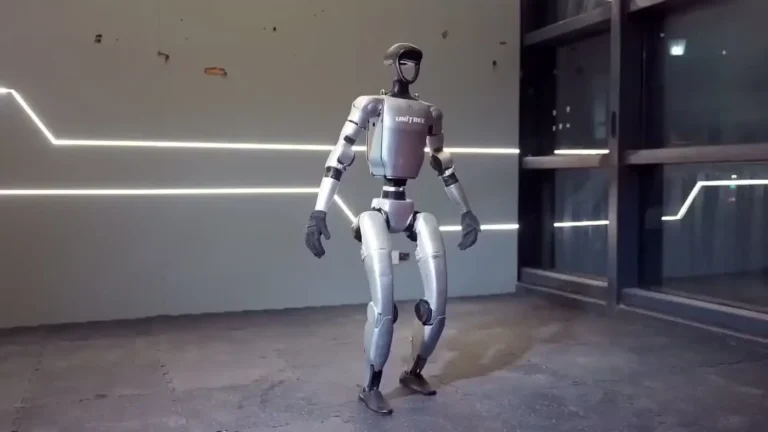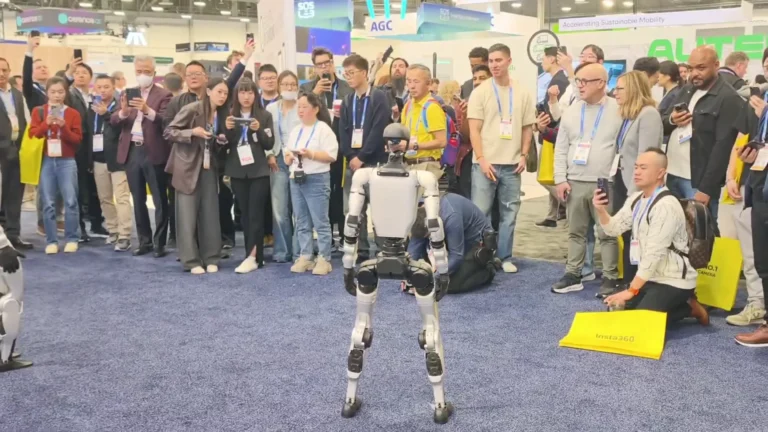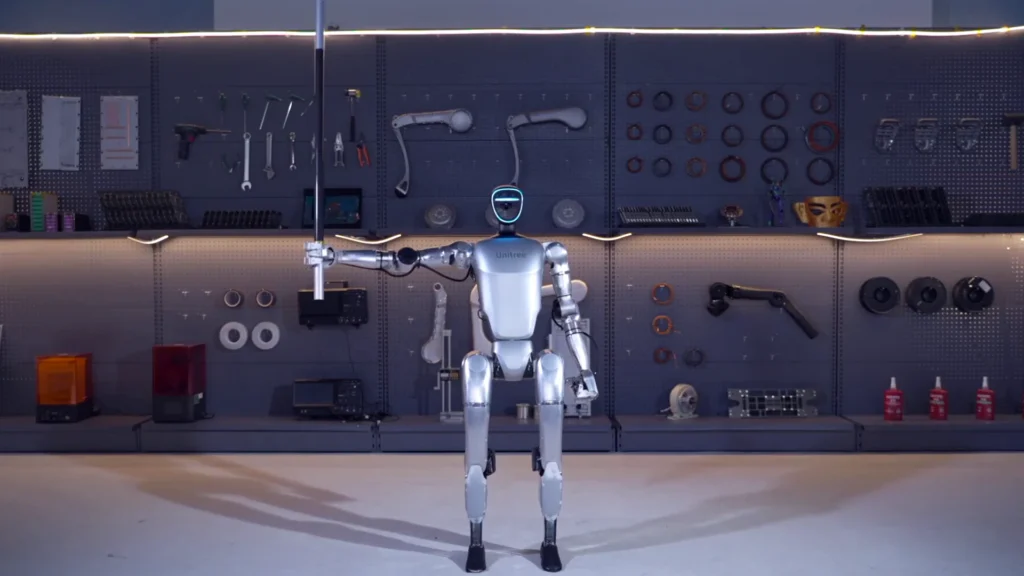
Science centers booked the unitree g1 museum circuit hard in 2026, and our deployment teams ran floor operations at three of them before the year hit summer. What made those engagements work — and what tripped up the venues that called us after a rough first attempt — comes down to a handful of decisions made well before the robot rolls in.
Table of Contents
Office Hallway Walk Demo
Unitree G1 — At a Glance
- 127 cm tall | 35 kg
- 41 degrees of freedom
- Five-finger dexterous hands
- 2-hour operational battery
- Onboard NVIDIA Jetson Orin
- Available to rent from $299/day
What You Should Know
Key facts for museum and science center planners evaluating a G1 floor deployment.
- The Unitree G1 stands 127cm tall, weighs 35kg, and moves at up to 2 m/s — sized to pass through standard 80cm doorways with its 45cm shoulder width.
- Battery runtime is 2 hours per charge; a full recharge takes 45 minutes, so exhibit schedules need built-in charge windows between sessions.
- The G1 carries 41 degrees of freedom and BrainCo Revo 2 hands with 3kg arm payload — enough for controlled object handoffs during demos.
- Self-Service Rental starts from $299/day with a 3-day minimum; Full-Service Event deployments (with a ZMProbots operator on-site) are priced per quote with a 1-day minimum.
- ZMProbots covers US delivery across 48 states (excluding Alaska and Hawaii), plus Canada, the UK, and Europe.
- Floor operators do not need robotics training — a standard 2-hour onboarding covers the control interface and safety protocols.
- Minimum clear floor space for a live walking demo is roughly 3m x 3m; tighter configurations require a stationary-mode exhibit plan.
Why Museums Book the G1
Museums and science centers have a specific problem: they need exhibits that hold attention across age ranges, generate social sharing, and require minimal permanent infrastructure. The Unitree G1 checks all three boxes without the complications that come with theatrical installations or dedicated tech builds.
Visitor Dwell Time
The data our operators have seen at science center engagements is consistent. A standard interactive exhibit — a touchscreen, a physical model, even an animatronic — holds visitors for 60 to 90 seconds on average. A live G1 walking demo pulls that number to 4 to 6 minutes, with visitors cycling back after other parts of the exhibit. That dwell time directly affects the center’s internal metrics and, for traveling exhibitions, the renewal conversations with curators.
According to IEEE Spectrum, humanoid robots consistently outperform static interactive displays in visitor engagement metrics, particularly in science and technology museum contexts.
No Permanent Installation Required
Museums are careful about what they allow on floors. Drilling, cabling, or structural modifications require board approval and facilities sign-off that can take months. The G1 arrives in a road case, charges from a standard outlet, and leaves without a trace. That portability is meaningful for institutions that rotate exhibits on 6- to 12-week schedules.
It also means the same robot can anchor the entrance hall one weekend and move to a school-group wing the next. The deployment footprint shifts without logistics overhead.
Educational Programming Tie-In
Science centers that get the most from a G1 deployment treat the robot as a program, not an attraction. They build it into a 20-minute structured demo with a staff presenter, covering topics like joint mechanics, sensor arrays, and machine learning basics — content that maps to STEM curricula. The G1 becomes a physical reference point for abstract concepts. Several institutions we have worked with reported that school groups who saw the robot demo scored higher on post-visit comprehension quizzes on robotics topics. That kind of outcome gets cited in grant applications and donor reports.
For a broader view of how the G1 performs across event contexts, the humanoid robot for events operator briefing covers the general setup considerations that apply across venue types.
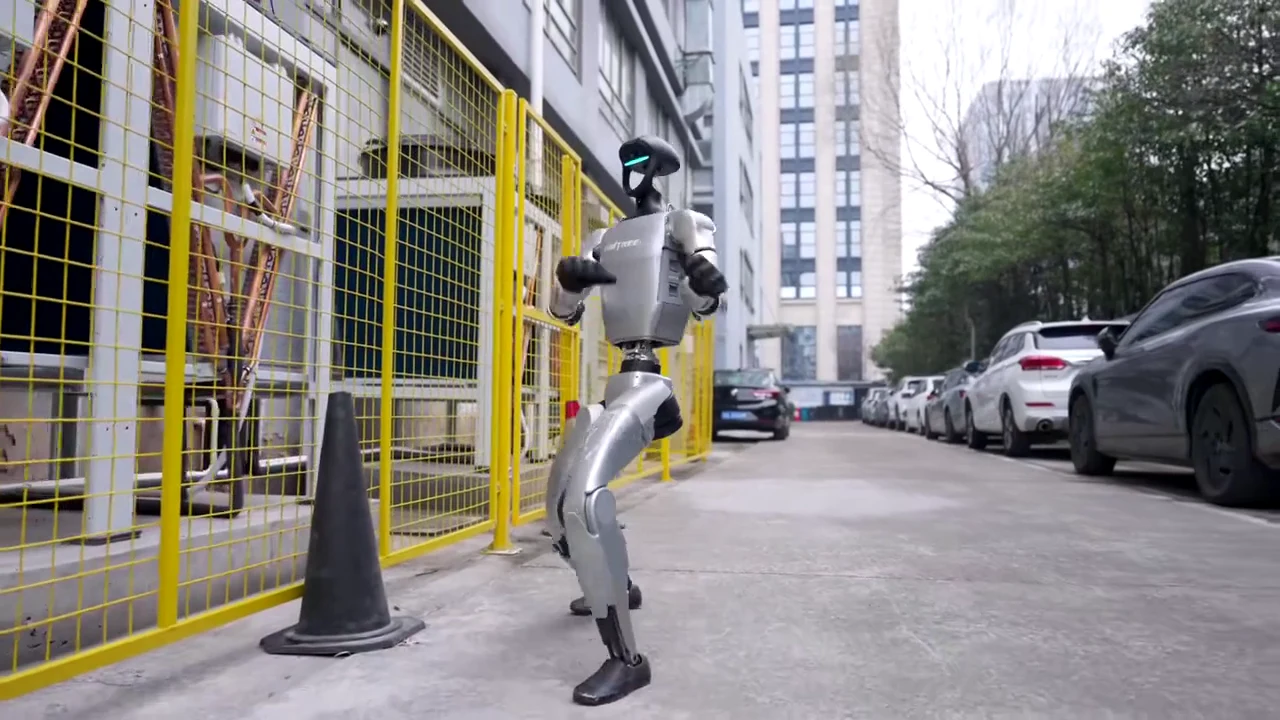
Floor Deployment: Logistics and Setup
A museum deployment is not a trade show drop-off. The environment is more controlled, the audience is more varied, and the floor team has different priorities than a booth staff. Getting this right requires planning before the robot arrives.
Venue Walk-Through
The first step is always a floor plan review. We look at three things: the demo zone dimensions, the path from the loading dock to the exhibit floor, and the nearest dedicated outlet. Older museum buildings sometimes have limited outlet access near gallery centers — an extension cord run is almost always needed, and facilities needs to approve it in advance. The G1 needs a standard 110V outlet in the US (220V in UK and EU deployments); no special power requirements beyond that.
Door clearances matter. The G1 fits through an 80cm doorway at its 45cm shoulder width, but staff corridors in heritage buildings can be tighter. We map the route before the robot leaves the case.
Exhibit Zone Configuration
For a live walking demonstration, you need roughly 3 meters by 3 meters of clear floor space. That is the minimum. Better configurations give the robot a 4m x 4m zone with a rope barrier or stanchion line 1.5 meters from the robot’s default position. Visitors watch from behind the line; the presenter works inside it.
Stationary configurations — where the robot stands in one position and performs arm movements, gestures, or object interactions — work in smaller footprints. These are common in narrow gallery corridors or when the space is shared with other installations. The G1 at rest still draws attention; the BrainCo Revo 2 hands doing a controlled handoff or a grip demo hold an audience without locomotion.
The complete Unitree G1 guide covers the full specification set for planners who need hardware details before a venue approval conversation.
Charge Schedule
The G1 runs 2 hours on a full charge and takes 45 minutes to recharge. A typical museum day runs 9am to 5pm — that is 8 hours. A realistic schedule for a Full-Service deployment looks like this: 45-minute morning charge, hour-and-a-half demo session, 45-minute recharge, hour-and-a-half demo session, 45-minute recharge, 60-minute afternoon demo session. That gets you three sessions per day without running the battery to zero, which reduces long-term cell wear.
Self-Service Rental operators who plan their own schedules should build in buffer time between sessions. Rushing a recharge and starting a session at 70% battery is the most common cause of an early shutdown mid-demo — awkward in front of a school group.
For operators who want the full logistics picture, the Unitree G1 rental operations playbook walks through charge scheduling, transport cases, and floor prep in detail.
Visitor Interaction and Crowd Management
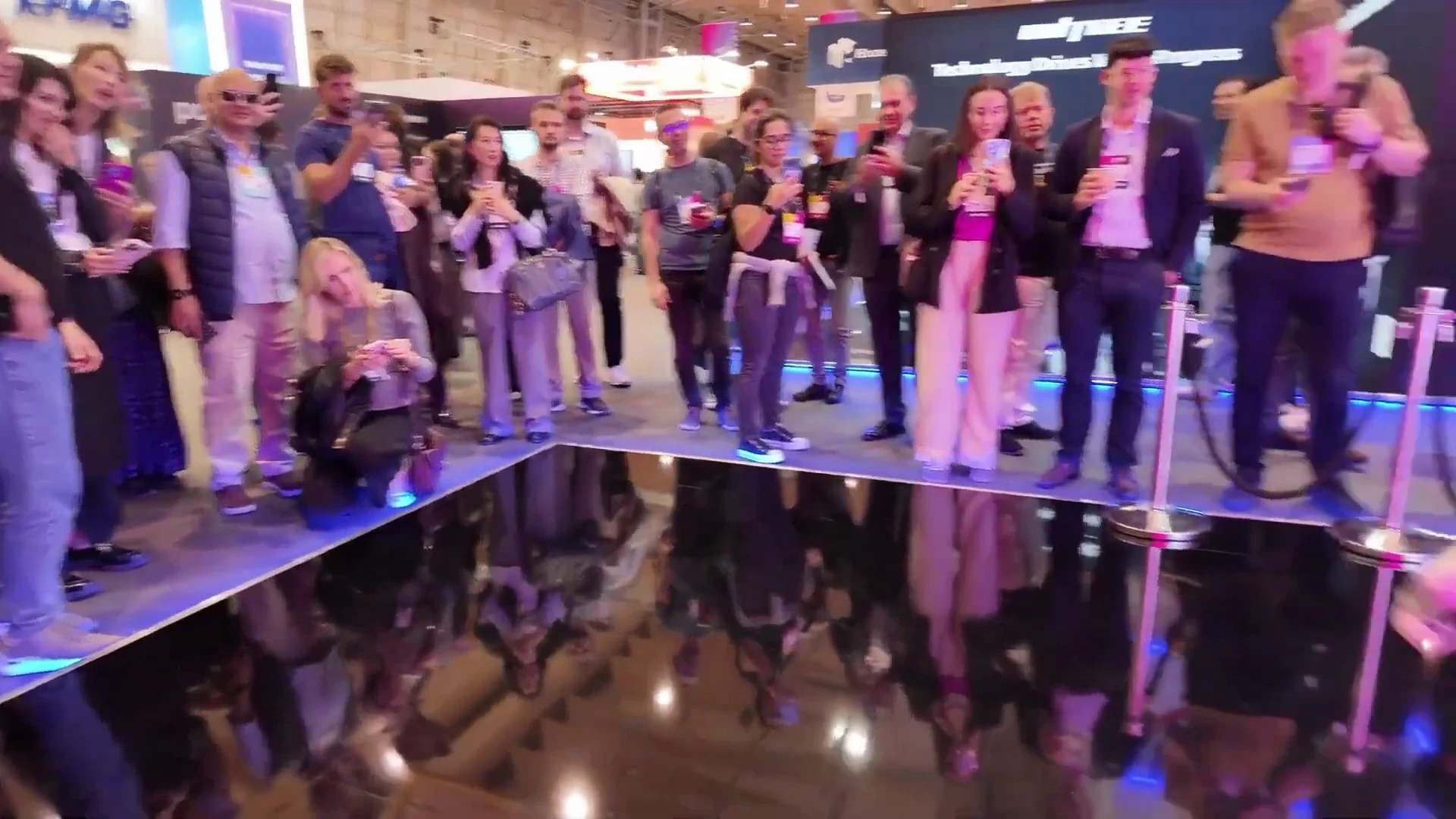
The hardest part of a museum robot deployment is not the technology — it is managing the crowd response. The G1 generates immediate, strong reactions. Children run toward it. Adults pull out phones. Groups cluster without natural queuing instincts. Without structure, you get a scrum.
Proximity Protocols
Every deployment we run starts with a clear proximity rule: no visitors within 1.5 meters of the robot during locomotion. The stanchion line makes this physical, not just verbal. Presenters reinforce it at the start of each session, and it becomes self-policing once the first few minutes establish the norm.
For school groups, the protocol shifts slightly. Students are seated in a designated zone before the demo begins. The presenter walks through a 3-minute orientation before the robot activates. That structure prevents the surge that happens when a robot simply starts moving in front of a standing crowd.
According to MIT Technology Review, structured visitor protocols in interactive robotics exhibits significantly reduce incident rates compared to open-floor deployments without defined interaction zones.
Session Length and Pacing
Ninety minutes is close to the maximum useful session length for a public museum demo. After that, the presenter fatigue shows and the demo loses energy. We recommend 60-minute sessions for high-traffic weekend days when crowd pressure is constant, with one-and-a-half hours being the ceiling for a single session.
Within a session, pacing matters. A good museum demo structure: 5 minutes of context (what the robot is, what it can do), 15 minutes of demonstration (walking, gestures, object interactions), 10 minutes of Q&A with the robot present but stationary, and then a clear close before the next queue cycles in. That 30-minute block can run twice per hour in high-traffic environments.
Managing the Photography Surge
Every G1 activation creates a photography surge. Visitors want photos with the robot, which means they want to stand next to it — which conflicts with the proximity protocol. Manage this by building a dedicated photo opportunity at the end of each session: the robot stands stationary, one visitor at a time stands beside it (outside the 1.5m exclusion zone), and the presenter facilitates. This takes 5 to 10 minutes and defuses the spontaneous surging that otherwise happens mid-demo.
Museums that skip this step consistently report more protocol violations and more floor stress for staff. It is a small addition that makes the session safer and more orderly overall.
The G1 specs page has the physical dimension details useful for planning proximity zones and stanchion placement. Operators newer to public event contexts should also review our humanoid robot rental FAQ for first-timer logistics questions.
People Also Ask
Can the Unitree G1 interact with museum visitors directly?
Yes, within defined parameters. The G1 can perform gestures, wave, and execute controlled handoffs of lightweight objects (up to 3kg per arm). It does not have conversational AI built in by default, but exhibit presenters can script narrated demos where the robot’s movements respond to presenter cues. Full autonomous conversation requires third-party integration and is outside a standard rental scope.
What floor space does a museum G1 deployment require?
A live walking demo needs a minimum 3m x 3m clear zone plus a 1.5m visitor buffer on the perimeter, putting the total footprint at roughly 6m x 6m including the audience zone. Stationary demos can work in tighter configurations — the G1 can run arm and hand demonstrations in a 2m x 2m zone with a stanchion line. Most museum galleries can accommodate the stationary format without rearranging permanent exhibits.
How many sessions per day can the G1 run at a museum?
Three sessions per day is a realistic ceiling given the 2-hour battery and 45-minute charge cycle. A typical schedule runs morning, midday, and early afternoon sessions of one to one-and-a-half hours each, with 45-minute recharge windows between them. Running four sessions is possible if sessions are kept to 60 minutes and recharges start immediately after each one, but there is little margin for delays.
Does ZMProbots provide on-site operators for museum events?
Yes. Full-Service Event deployments include a trained ZMProbots operator who handles robot activation, session facilitation, and on-site troubleshooting. This is the recommended format for public-facing museum deployments, particularly those involving school groups or high visitor volumes. Self-Service Rental is available for institutions with staff who have completed the 2-hour onboarding, but Full-Service is the standard for first-time museum partners.
Which regions can book a G1 for a museum deployment?
ZMProbots delivers across 48 US states (excluding Alaska and Hawaii), Canada, the UK, and Europe. For international deployments, logistics lead times are longer and a venue walk-through call is standard before confirming dates. The robot rental for events 2026 guide covers regional availability and booking timelines in more detail.
The Bottom Line
Science centers that plan museum robot deployments around charge schedules, floor zones, and structured session formats consistently get better outcomes than those that treat the G1 as a walk-in attraction. The robot performs well when the environment is set up for it — defined space, briefed staff, a pacing plan, and a photo-op protocol that keeps crowds orderly.
If your institution is evaluating a G1 deployment for an upcoming exhibition or ongoing programming, the starting point is a humanoid robot rental inquiry through ZMProbots. Availability in the US, Canada, UK, and Europe fills quickly during peak exhibition seasons, so building lead time into your planning calendar matters.