A humanoid robot at your event is not a plug-and-play prop. The operator who travels with every ZMProbots booking knows things about your floor that your event coordinator does not. This briefing covers what our operators assess before every deployment and what it means for how you should plan your activation.
Table of Contents
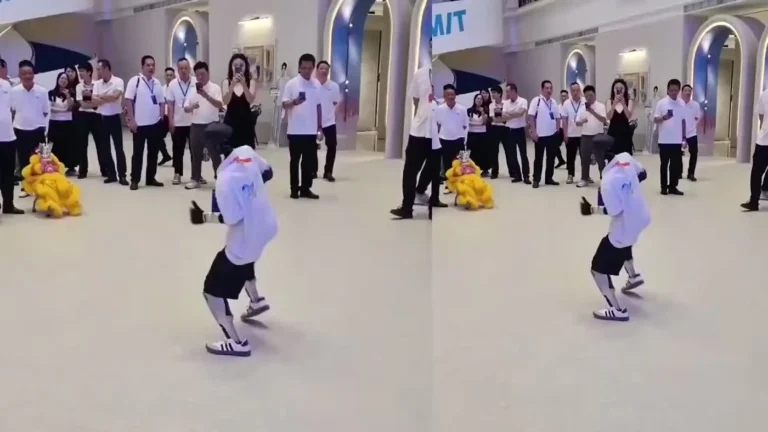
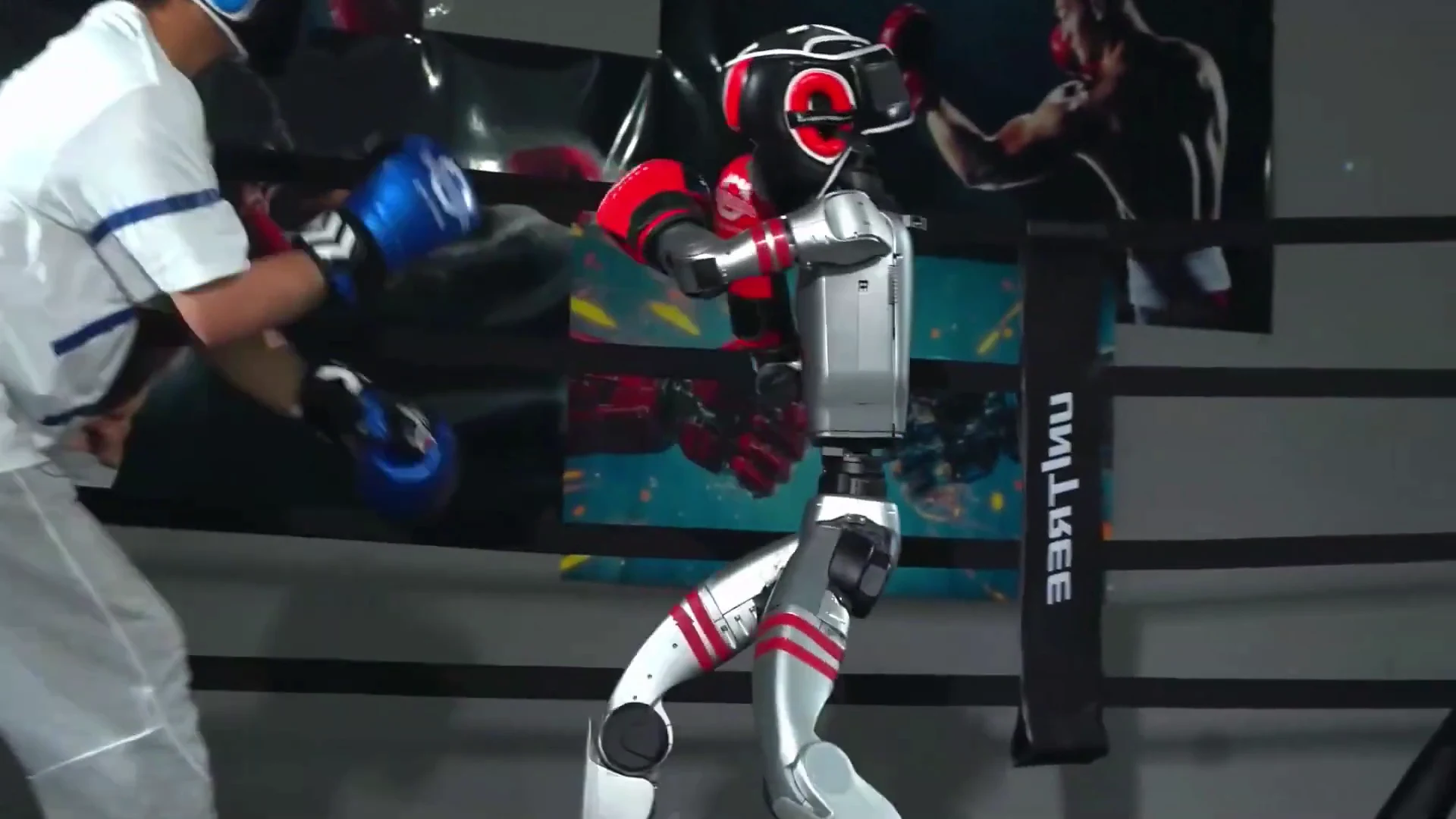
Kung Fu Expo Demo
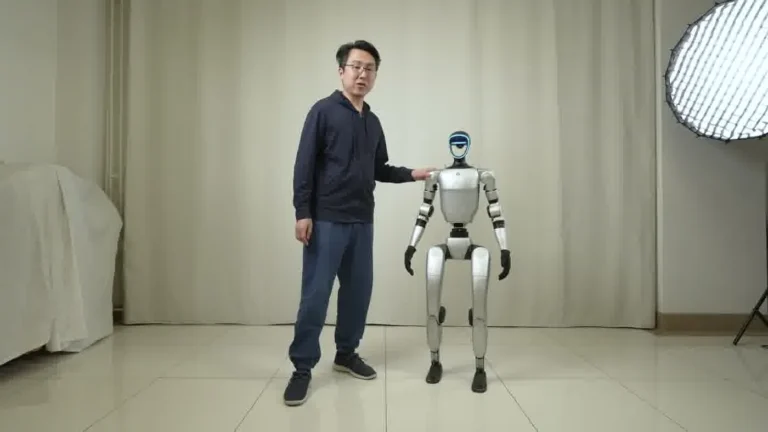
Unitree G1 — At a Glance
- 127 cm tall | 35 kg
- 41 degrees of freedom
- Five-finger dexterous hands
- 2-hour operational battery
- Onboard NVIDIA Jetson Orin
- Available to rent from $299/day
Before the Robot Arrives: What Operators Check
Our operators run a pre-event checklist before every deployment. Most of this happens during the 60 to 90 minute setup window before your event opens, but the groundwork starts earlier.
Floor plan review: the operator reviews the venue layout 24 to 48 hours before delivery. They identify the interaction zone, the nearest power outlet, the crowd flow pathways, and any surface transitions (carpet to hard floor, ramp, step) that affect locomotion.
Surface check on arrival: on delivery day, the first thing the operator does is walk the floor themselves. Carpet pile, flooring seams, cable pathways, and surface irregularities all affect how the G1 moves. If a section of floor is a problem, the operator repositions the activation before the robot powers on.
Power confirmation: the operator locates and tests the outlet before unpacking the robot. A standard 110V outlet within 5 meters of the interaction zone is required. If none is available in the correct position, the operator coordinates with the venue to resolve it before the event opens.
Crowd zone marking: for high-traffic events, the operator uses stanchions, floor markers, or signage (provided by the venue or the client) to define a 1.5m interaction perimeter. This keeps the robot’s LiDAR field clear and the crowd experience orderly.
Floor Positioning: Where the G1 Performs Best
The Unitree G1 is not a static display. It moves, interacts, and responds to its environment. Where you place it on the floor determines how well it performs and how safely the crowd experiences it.
Best positions:
- Open corner of a trade show booth with clear lines of approach from two directions
- Dedicated activation area with a 3m x 3m clear zone and a defined perimeter
- Conference entrance or welcome zone where the robot greets arrivals
- Stage-adjacent position during keynote breaks when audience is moving
Positions to avoid:
- Narrow corridors where the robot cannot turn without being crowded
- High-step or uneven flooring without a cleared approach path
- Directly against a wall with no approach clearance on either side
- Areas directly under ceiling rigging where cables could conflict with the transport case
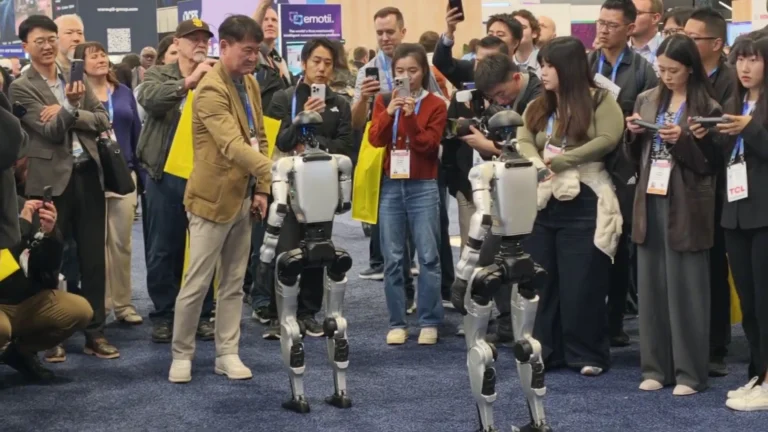
At the Detroit Auto Show deployment in January 2026, we positioned the G1 at the entrance to a brand pavilion. Attendees queued naturally to interact, which reduced crowding and gave each person a 30-second window with the robot. No stanchion management was needed because the physical layout created the queue organically. That is the kind of positioning advantage a pre-event floor plan review produces.
Crowd Management Around a Humanoid Robot
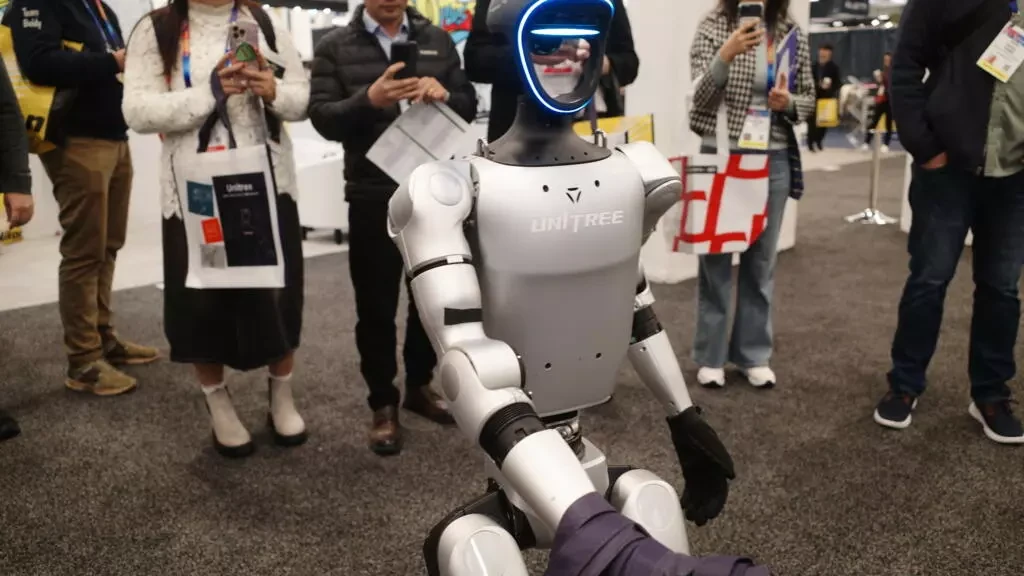
Audience behavior around a humanoid robot is not predictable from a conference guest list. Children react differently than adults. Skeptics hang back; enthusiasts push forward. The operator manages this in real time.
The standard approach our operators use:
- Interaction pacing: the operator controls the demo loop timing. At high-traffic moments they run shorter gestures with faster turnover. At low-traffic periods they extend interactions, allow photo time, and run more detailed sequences.
- Child management: children often approach more aggressively than adults. The operator knows where the G1 is in its movement cycle at all times and positions themselves between the robot and any child who enters the safety perimeter.
- Photography management: the operator pauses the motion loop for group photos when requested, then resumes. This is standard — it happens at nearly every event. Brief it in advance so the operator knows your event brand wants photo moments encouraged.
- Emergency stop: the operator carries a hardwired stop control at all times. In the event of an unexpected hardware response or audience situation, the robot stops immediately. This has been used in practice at one deployment in 2025 due to a floor cable conflict — no injury, no damage.
The crowd management burden is on the operator, not your event staff. That is the point of the included operator in every booking.
Battery and Power Logistics at Live Events
Battery runtime for the Unitree G1 is approximately 2 hours under typical event conditions. For any booking of 4 hours or longer, we bring two batteries. The swap takes under 10 minutes and is planned into the interaction schedule.
How operators manage battery logistics at events:
- Charge station placement: the charging station (roughly the size of a small rolling cart) is positioned behind the activation zone or in a nearby service area. It needs access to the same 110V outlet as the robot.
- Swap timing: operators plan battery swaps during natural event breaks — lunch periods, keynote starts, or scheduled booth lulls. They monitor battery state throughout the day and begin the swap sequence before the robot reaches a low-battery threshold.
- Continuous operation: for events that require uninterrupted presence (a 6-hour exhibition floor session with no break windows), the operator staggers the robot’s active time in the demo loop so a swap can happen without fully stopping the activation. The robot moves to a resting position, the swap happens, and it returns to the loop.
For multi-day bookings, batteries are fully charged overnight at the venue or in the operator’s hotel room if venue power is unavailable post-event. We have never had a battery-related event failure across our tracked deployments.
What Actually Goes Wrong and How We Handle It
Operational reality: things go wrong at events. Here is what we have seen in practice and how it gets handled.
Floor surface conflict
A venue floor with cable ramps, thick pile carpet, or unannounced surface changes can cause the G1 to slow or stop. Resolution: the operator repositions the activation zone to a clear surface. This has never required ending an event early — it requires a 5 to 10 minute adjustment window.
Crowd surge
Unexpected crowd build-up around the robot during a peak session. Resolution: the operator uses the hardwired stop if needed, then restores the perimeter before resuming. In practice, our operators read crowd build-up 60 to 90 seconds before it becomes a problem and adjust pacing proactively.
Software restart required
Occasional firmware behavior during extended sessions can require a restart of the locomotion controller. The restart takes 3 to 4 minutes. The operator communicates the pause to nearby attendees and resumes. This is rare — it has happened once in our tracked deployments.
Late delivery due to freight
Freight delays do happen. When they do, the operator contacts the event coordinator as soon as the delay is confirmed. Our standard procedure is to communicate the revised arrival window and, if the delay is severe, to refund proportional rental days. We have had one delivery delay across all bookings to date.
Event Types Where Humanoid Robots Work Best
Based on our deployment history, these are the event formats where humanoid robot activations consistently outperform expectations:
Trade shows and exhibitions
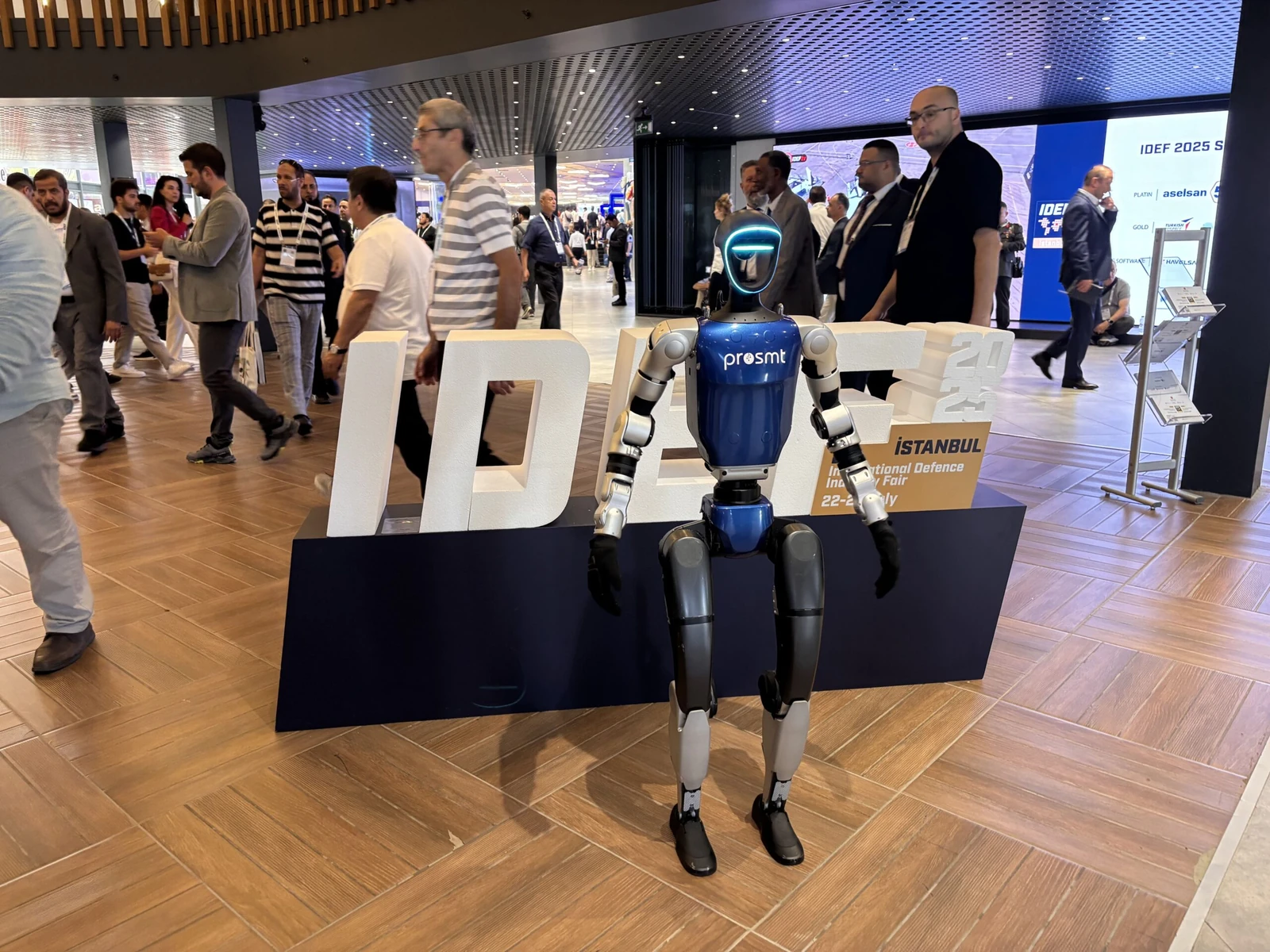
The highest-return context. Booth traffic increases are measurable — event teams consistently report longer dwell times in booths where the G1 is active compared to adjacent booths without it. The 3D visual presence of a full-size humanoid draws foot traffic that a banner or screen display does not.
Product launches and brand activations
The G1 works as a centerpiece or as an interactive spokesperson. Brand activations at fashion weeks, auto launches, and consumer electronics reveals have used the robot as both a static presence and an active greeter. The key variable is how the interaction loop is briefed — vague briefs produce generic activations.
Corporate events and hospitality
Conferences, gala dinners, and corporate retreats with a technology or innovation theme. The G1 works best in this format when positioned at entry or during cocktail hour when guests are moving freely. Seated dinner formats are less effective — the robot needs ambient crowd movement to create interaction opportunities.
University and R&D demonstrations
University research days, STEM events, and corporate R&D demos. These audiences engage more technically — they ask the operator questions, test specific movements, and photograph at close range. The operator adjusts the demo loop to accommodate more structured interaction. For an overview of what the G1 can do technically, see our Unitree G1 product page.
FAQ
Can the robot perform at outdoor events?
In covered outdoor or semi-enclosed environments, yes. The G1 is not weatherproof — rain, direct sun exposure, and uneven outdoor terrain are Excluded Events. Contact us before booking if your event is primarily outdoor.
How does the operator handle a child who gets too close to the robot?
The operator is positioned to intervene immediately. They manage the interaction perimeter throughout the event and will pause the motion loop and physically redirect a child who enters the safety zone. There is no autonomous collision avoidance that substitutes for operator presence.
Can we dress the robot in branded clothing or a costume?
Light vinyl wraps and branded accessories are possible with advance planning. Full costumes that cover the robot’s sensors or restrict joint movement are not permitted — they create safety and operational risks. Contact us at least 7 days before delivery to discuss wrap options.
What surfaces can the G1 walk on?
Hard floors, short-pile carpet, and rubberized event flooring without surface transitions higher than 2cm. Long-pile carpet, gravel, wet floors, and raised platforms with unguarded edges are not suitable surfaces for standard rental operation.
Does the operator stay on-site for the full event, including breaks?
Yes. The operator is on-site and responsible for the unit from delivery to pack-down. During audience breaks, the operator runs maintenance checks, charges batteries if needed, and prepares for the next session.
Conclusion
A humanoid robot at your event performs in proportion to how well the activation is planned. Position it correctly, brief the operator on your event goals, and give the interaction loop time to build. The operator handles everything on the floor — you handle the event around it.
Ready to book? Check availability and pricing at our humanoid robot rental page. For a step-by-step walkthrough of the booking process, see our guide to how to rent a humanoid robot.